

To reduce customer support emails, remove the reasons customers write rather than hiding your contact details. Tag a week of emails by reason, fix what causes them, publish clear answers to the top questions, put those answers where customers get stuck, and keep a human option available.
At a glance
- helpcenter.io’s 2026 guide recommends a seven-step sequence, starting with measuring your contact rate before changing anything and ending with a weekly review.
- Zendesk’s guidance on measuring self-service covers a self-service score and help centre search engagement as ways to check whether answers are working.
- DeskClone separates a ticket that was resolved from one that was merely deflected, because customers who give up and leave are not a saving.
- Chati answers customers from the business’s own website, shows its sources and hands the chat to a human team when it is unsure.
- Chati’s team has been developing apps since 2009.
What is the quickest way to reduce customer support emails?
Stop the questions at source: find out why people email, then answer those reasons before they write. Do not simply hide your email address, as that loses customers rather than saving time.
The levers work best in this order:
- Measure how many emails you get and why.
- Fix the processes and wording that cause them.
- Write short answers to the top reasons.
- Place those answers where customers get stuck.
- Add a chatbot that answers from your own content.
- Keep a clear route to a person.
- Review the numbers every week.
Preventing contacts versus blocking them
Preventing a contact means the customer found what they needed and carried on. Blocking a contact means they gave up, picked up the phone in a bad mood or bought from someone else. Only the first is a real saving. A buried contact page might lower your email count, but it also hides problems you need to hear about.
Set expectations
Results build over weeks, not overnight. Each fix removes one reason for writing, so the drop is gradual. We cannot promise a specific percentage, because it depends on what your customers ask and how much of it you can answer in advance.
How do you find out why customers email you?
Count your emails for a week and tag each one by reason, such as opening hours, prices, delivery, bookings or document requests. The top three or four reasons usually account for most of the volume.

Start with a baseline
Before changing anything, write down how many emails arrive in a normal week. Without that number you cannot tell whether your changes worked. helpcenter.io’s seven-step plan puts measuring your contact rate first for the same reason.
A simple tagging method
Open a spreadsheet with one row per email and three columns: date, reason and whether it could have been answered from your website. Pick a tag for each email as it comes in. Keep the list short, and add a new tag only when nothing fits. Example tags:
- Opening hours or location
- Price or fees
- Booking, changing or cancelling
- Delivery or timing
- Documents or forms
- Complaint or something that went wrong
What this looks like in different businesses
Chati is built for UK service businesses, and the reasons customers get in touch differ by trade. A dental practice may find most emails ask about appointments and fees. A letting agent may be asked about viewings and what documents tenants need. An accountant may be asked about deadlines and what to send over. Your own tags will tell you which applies to you.
Look for repeat writers
Check whether the same customer writes more than once about the same matter. Repeat emails often mean the first reply was unclear or the confirmation left something out. Those are the cheapest ones to remove.
Can you fix the problems that cause emails in the first place?
Yes, and it is often the cheapest fix. Unclear pricing, confusing booking forms, missing confirmation messages and vague delivery details all create emails that better wording can prevent.
Confirmation and reminder messages
Look at what your confirmations actually say. A booking confirmation should include the date, time, address, how to change it and what to bring. If customers keep asking where to park or what the cancellation terms are, put that in the message.
Forms, pricing and policy pages
If people email to ask what a service costs, your pricing page is not doing its job. The same goes for returns, deposits and cancellation rules. Plain wording helps here, and the FCA’s work on consumer understanding is a useful reminder that clear communication matters to customers.
Proactive updates
When something is late or has changed, tell customers before they ask. A short message about a delayed delivery or a rescheduled appointment can prevent a string of worried emails.
Ask the awkward question
For each tagged email, ask whether it would exist if your website were clearer. If the answer is yes, fix the page before writing an FAQ entry about it.
How do you write answers that stop repeat questions?
Write one short, plain answer for each top reason, using the words customers use, and publish them on a FAQ or help page linked from the main navigation and the contact page.
Lead with the answer
Put the answer in the first sentence, then add the detail. “Yes, we are open on Saturdays from 9am to 1pm” beats a paragraph about our approach to weekend availability. Copy phrases from the emails themselves, as customers search with their own words rather than yours.
One question at a time
Give each question its own page or a clearly labelled section. That makes answers easy to scan and easy to link to from emails and chats.
Keep it current
An out-of-date price creates more emails than no answer at all. Set a date, such as the first Monday of each month, to check prices, opening hours and policies.
Make it findable
Add a search bar or clear categories. Zendesk’s guide to measuring self-service includes help centre search engagement, which tells you what people look for and whether they find it.
Where should answers appear so customers see them?
Put them at the point of need: on the booking page, pricing page, contact form and in confirmation emails, not only in a separate help centre.
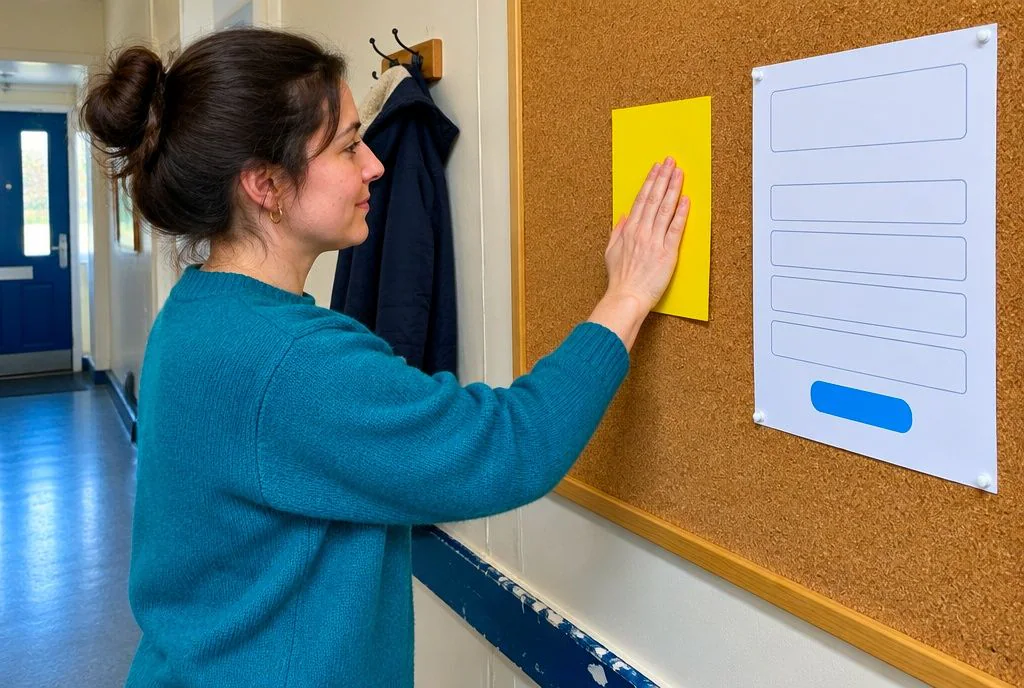
Next to the contact form
Show suggested answers beside or above the form, based on your top reasons. A line such as “Looking for our opening hours or prices?” with two links can stop an email before it starts.
Auto-reply and confirmations
An auto-reply can link to the most relevant answers while confirming that the message was received. Add useful links to confirmation messages and email signatures too.
Why a help centre alone is not enough
Customers with a help centre still email when answers are hard to find, or when they do not know it exists. Place the answer where the question arises, and fewer people will need to go looking.
Can an AI chatbot reduce support emails for a small business?
It can, if it answers from your own website content, shows where each answer came from and passes the chat to a person when it is unsure. A generic bot that guesses will create more emails, not fewer.

How Chati works
Chati is an AI chatbot trained on your own data, with custom integration. It answers customers from your website, shows its sources so people can check the answer, and hands the chat to your human team when it is unsure. You can see the steps on our how it works page.
Chats that lead to actions
Chati includes branding, lead capture and bookings, so a conversation can end with a booking or an enquiry captured, not a question sent to your inbox. Our industry guides show how this applies to dental practices, solicitors, trades, agents, vets, hotels and gyms.
Value for small teams
Customers choose Chati for great value for money. Small teams often do not need an enterprise helpdesk priced around each resolution, and our team has been developing apps since 2009.
Honest limits
- A chatbot is only as good as the content it learns from. If your website is vague, its answers will be too.
- Read the chats regularly. They show what customers ask and where your content falls short.
- In sensitive sectors such as legal, dental or veterinary work, the bot should hand over for anything that needs personal advice, not try to give it.
How do you keep a human option without more emails?
Offer a visible but sensible route to a person. This could be a contact form that asks for key details, a callback request or a live handoff from chat. That way the emails you do receive are complete and quicker to resolve.
Structured forms
Ask for the booking reference, order number or the type of enquiry up front. That saves the back-and-forth of “can you send me your details?”
Handoff with chat history
When a chat passes to your team, the history should go with it. Customers should not have to repeat themselves, and your staff can reply with the full picture.
No hidden contact details
Avoid burying your email or phone number. It frustrates people and defeats the point of the exercise.
Accessibility
Some customers need to email, because phone calls or chat do not suit them. Keep email available, and make it easy to find.
How do you measure whether support emails are really falling?
Track weekly email volume against customer numbers or orders (your contact rate), and check that customers are being helped, not just deterred. Review the top reasons every week and fix the next one.
Contact rate
Divide emails by orders, bookings or customers for the same period. This matters because a busy week will naturally bring more emails, and the rate shows whether things are improving.
Resolved versus deflected
DeskClone makes the point that a deflected ticket is not the same as a resolved one, since customers who give up and leave are not a saving. Check for repeat contacts on the same issue, chats that ended with no answer and any satisfaction feedback you collect.
Content gaps
If you use a chatbot, list the questions it could not answer. Each one is a gap in your content, and filling it is the next job.
A simple 30-day plan
- Week 1: measure your baseline and tag every email.
- Week 2: fix the causes you can and write answers for the top reasons.
- Week 3: place answers on key pages, forms and messages.
- Week 4: review the numbers, check for repeat contacts and choose the next reason to tackle.
If you would like to see how a chatbot trained on your own website could take on the repeat questions, you can look at our pricing or contact Chati to talk it through.
Frequently asked questions
How many support emails is too many?
There is no single right number. What matters is your contact rate, meaning emails compared with orders, bookings or customers, and whether it is falling. If most emails ask things your website could answer, you have too many.
Should I remove my email address from my website?
No. Hiding it loses customers and hides problems you need to know about. Make it easy to find, and reduce the reasons people need it.
What is ticket deflection?
It means a customer finds an answer themselves instead of contacting you. It only counts as a saving if they were actually helped, which is why resolved and deflected need to be measured separately.
Do auto-replies reduce support emails?
They can, when they link to the most relevant answers and confirm the message was received. A bare “we got your email” does little to cut volume.
Can a chatbot replace my customer support email?
It should not replace it. A chatbot can handle common questions, but customers still need a route to a person, and some will prefer email.
What if the chatbot gives a wrong answer?
Choose one that answers from your own content, shows its sources and hands over when unsure, as Chati does. Read the chats regularly and correct the source content when you find a gap.
How long does it take to see fewer emails?
Expect gradual change over weeks rather than days. A 30-day cycle of measuring, fixing, writing and reviewing gives you a clear first view of what is working.
What should I put in an FAQ page?
Start with the top reasons from your tagged emails: opening hours, prices, bookings, delivery and documents. Write each answer in plain words, lead with the answer and review it on a set date.