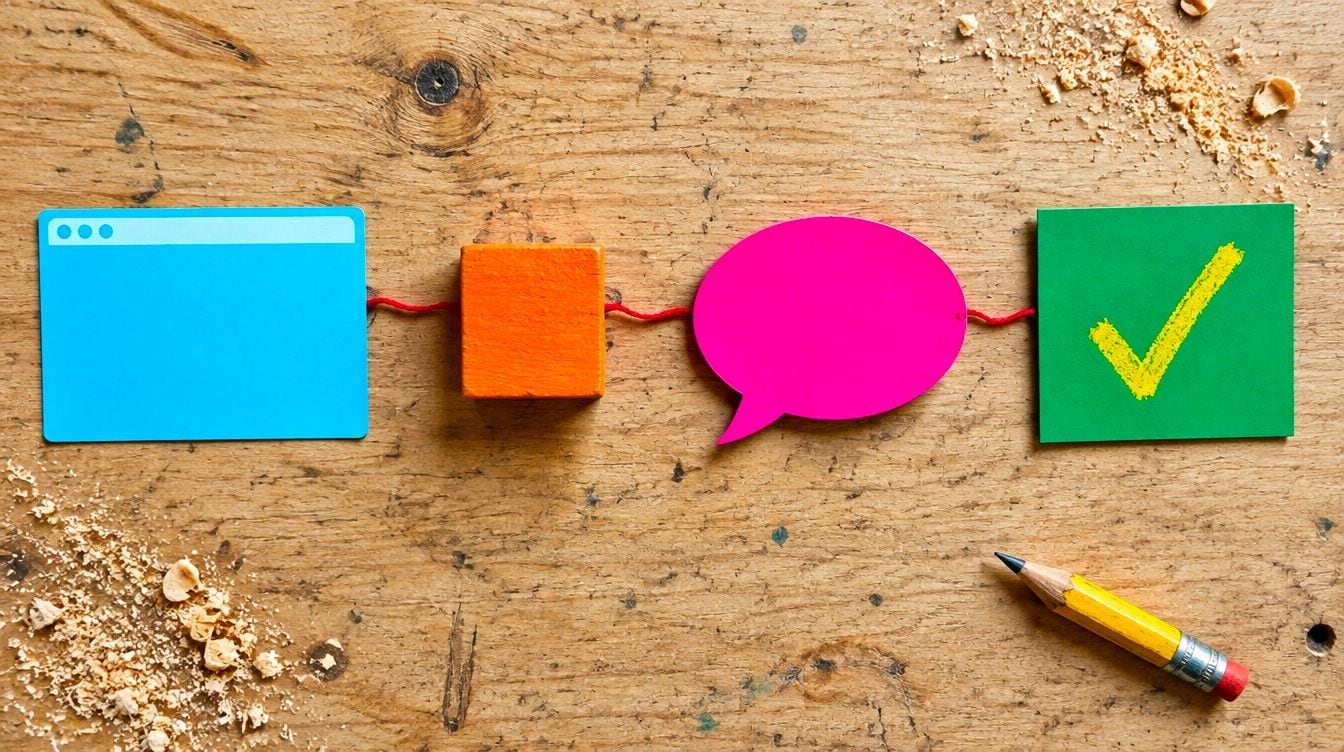
To add live chat to a website, choose a provider, create an account and customise the widget. Then copy the provider’s short JavaScript snippet into your site’s HTML before the closing body tag, or use its plugin on WordPress, Shopify or Wix. Publish and test a message. Your visitors will then see the chat bubble.
At a glance
- The basic method is to copy a provider’s chat script into your site’s HTML, or use a plugin or app for a CMS or shop platform (Crisp install guide).
- tawk.to offers free live chat software with a chat widget.
- Intercom’s guide sets out seven steps: account, customise, choose install method, add code and publish, identify signed-in users and secure it, set AI and handoff rules, then test and go live.
- Crisp has separate install guides for CMS and website builders, ecommerce platforms and JavaScript frameworks.
- OpenAI’s ChatKit provides a ready-made chat interface that developers can embed in a website.
- Chati is trained on the customer’s own website data and hands chats to a human team when unsure.
We have been developing apps since 2009, and the process below is the same whichever tool you pick. It is easier than most small business owners expect. The harder part is deciding who answers the chats and what happens when nobody is around.
How does live chat work on a website?
Live chat adds a small widget, usually a bottom-right bubble, loaded by a script on your pages, so visitors can message you and replies come through a dashboard or app.

There are three parts to understand. The widget is what your visitor sees: the bubble, the greeting and the message window. The script is a few lines of code that loads the widget on each page. The inbox is where your team reads and answers messages. It works on a desktop dashboard or a phone app.
Staffed chat, AI chatbot or a mix of both
With staffed live chat, a person replies to every message. It feels personal, but it only works while someone is at their desk. An AI chatbot answers on its own, at any hour, using content you have given it. A hybrid does both: the bot handles routine questions and passes the chat to a person when it is unsure or when the visitor asks for one.
For most small UK businesses in 2026, the hybrid is the sensible choice. A two-person dental practice or a small firm of solicitors rarely has someone free to watch a chat window all day.
What happens outside opening hours
A staffed-only tool needs an offline message, usually a form asking for a name, email and question. A chatbot can keep answering and take details for a follow-up the next morning. Either way, tell visitors plainly when a person will reply.
What do you need before you add live chat?
You need access to your site’s code or CMS, a clear purpose for the chat, and someone responsible for replies or for the chatbot’s content.
Spend ten minutes on five decisions before you sign up to anything:
- Who answers? Name a person or a small team, plus a backup.
- What hours? Decide when a human is on, and what the chat says the rest of the time.
- AI or human? Choose staffed, bot or hybrid.
- Where does it show? Bottom right is the usual spot, but check it does not cover cookie banners or buttons on mobile.
- Which pages? Sitewide is simplest. You might hide it on a checkout or a booking form if it gets in the way.
Admin access or a developer contact
Check you can log in as an admin on your CMS or shop platform. If your site was built by an agency and you cannot edit the code, ask them for access or send them the snippet to place for you.
Privacy notice and cookie banner for UK GDPR
Chat tools collect personal data such as names, email addresses and whatever visitors type. Before launch, check that your privacy notice mentions chat, says what you do with transcripts and names your provider. Some chat tools set cookies or similar storage, so look at your cookie banner settings and your provider’s documentation to see whether the widget should wait for consent. If you are unsure, take advice from a data protection professional.
How do you choose a live chat provider?
Pick the provider that fits your team size and budget, as well as your platform. Free tools suit tiny teams, while paid tools add automation, AI and integrations.

The table gives a rough guide to the options. Features and prices change often, so check the current details on each provider’s own pricing page rather than relying on a third-party list.
| Provider | Best suited to | Install method | Check on their site |
|---|---|---|---|
| tawk.to | Very small teams wanting a free start | Script snippet, plugins for popular platforms | Which add-ons are paid |
| Crisp | Small teams wanting a shared inbox | Guides for CMS, ecommerce and JavaScript frameworks, using a script snippet | Plan limits and AI features |
| Intercom | Larger support teams with automation needs | App integrations, using a script snippet | Seat and usage pricing |
| LiveChat | Teams focused on staffed chat | Script snippet, plugins | Per-agent pricing |
| Chati | UK small businesses wanting an AI chatbot that answers from their own website and hands over to people | Custom integration available, using a script snippet | See our pricing page |
Questions to ask any provider
- Is there a mobile app so your team can reply away from a desk?
- Is support available during UK hours?
- Where is chat data stored, and can you export or delete it?
- Can you match the widget to your branding, colours and greeting?
- What happens to the price when you add a second team member or switch on AI?
To see how our own tool fits together, our how it works page explains it in plain terms.
How do you add live chat to your website step by step?
Create an account, customise the widget, copy the install code, paste it before the closing body tag on every page, publish and test.
The steps follow the same order as Intercom’s embed guide, which also covers securing chat for signed-in users.
- Create an account. Sign up with your business email and add your website address.
- Customise the widget. Set your logo, brand colours, a short greeting and your opening hours. Keep the greeting friendly and specific, such as “Hello, ask us about appointments or prices.”
- Copy the install code. Your dashboard will show a JavaScript snippet. Copy all of it. The tawk.to widget guide shows what this looks like in practice.
- Paste it into your site. Add it just before the closing </body> tag in your site’s template or footer.
- Publish and test. Save, clear your cache, open the site in a private window and send yourself a message.
Why sitewide placement matters
If the snippet is only on one page, the bubble appears only there. Put it in the shared template, footer or theme file so every page loads it. Pasting it into each page by hand invites mistakes. It also leaves gaps.
Using Google Tag Manager instead
Already using Google Tag Manager? Then you can add the snippet as a custom HTML tag set to fire on all pages. This keeps code changes out of your site files. Preview the tag before publishing, and if it sets cookies, link it to your consent settings.
How do you add live chat to WordPress, Shopify and Wix?
Use the provider’s plugin or app, or paste the snippet into your platform’s custom code or header and footer settings.
WordPress
Search the plugin directory for your provider and install it, then connect your account. No plugin? Use a header and footer plugin to paste the snippet into the footer area. Avoid editing theme files directly unless you use a child theme, as theme updates can wipe your changes.
Shopify
Look in the Shopify App Store for your provider’s app. Otherwise, go to Online Store, then Themes, then Edit code, and paste the snippet into theme.liquid just before the closing body tag. Take a copy of the theme first so you can roll back.
Wix
Wix gives you two routes. The first is the Wix App Market, where many chat providers have an app you can add in a few clicks. The second is custom code: in your site settings, find the Custom Code section, paste the snippet, choose to load it on all pages and place it at the end of the body. Custom code usually needs a paid Wix plan with a connected domain, so check your plan.
Squarespace and custom sites
On Squarespace, use the code injection area and add the snippet to the footer. On a custom or JavaScript framework site, add the script to the main layout file. Crisp publishes separate install guides for website builders, ecommerce platforms and frameworks, which show how much the method varies. Setup is unusual? We offer custom integration for Chati.
Can you integrate ChatGPT with your website?
Yes. You can embed an AI assistant using a chatbot platform, or build one with OpenAI’s API or ChatKit, but a ready-made tool is quicker for most small businesses.
Three routes
- No-code chatbot platform. You add your content, customise the look and paste a snippet. This is the quickest route.
- OpenAI ChatKit or API. ChatKit provides a ready-made chat interface that developers can embed in a website. You still need a developer to connect it to your content and handle security.
- Custom build. Full control, but the most time and cost, and you look after it afterwards.
Why accuracy matters
A general AI that has never read your business can guess. A wrong answer about fees, opening times or services costs trust. Choose a tool that answers from your own content and shows where each answer came from, so visitors and your team can check it.
How Chati handles this
Chati is trained on your own website data, so it answers from what you have published rather than from guesswork. Each answer shows its sources, and when the bot is unsure it hands the chat to your team.
How do you set up human handoff and lead capture?
Set rules so the AI or bot passes the chat to a person when unsure, and collect name and contact details before or during the handover.

Handoff triggers and out-of-hours messages
Good triggers include a visitor asking for a person, a complaint, a question the bot cannot answer from your content and anything involving a booking change or personal case details. Outside hours, the handoff should say when someone will reply and ask for an email or phone number so the conversation is not lost.
Lead capture and booking prompts
Ask for a name and contact detail at a natural moment, such as when a visitor wants a quote or an appointment. Keep it short: name, email or phone and one line on what they need. Add a link to your privacy notice near the form.
Examples for UK businesses
- Dental practices: answer questions on new patient registration and opening times, then offer a booking request.
- Solicitors: collect the type of matter and contact details for a callback, and pass anything sensitive to a person.
- Trades: capture the job type and postcode, so you can reply with a quote request in hand.
- Letting agents: answer viewing and tenancy questions, then hand over enquiries about specific properties.
Chati can work for many kinds of UK business, from dental practices and solicitors to trades, agents, accountants, vets, hotels and gyms. Our industry guides show how it can fit each one.
How much does it cost to add live chat to a website?
Costs range from free tools to paid per-seat or per-resolution plans, so total cost depends on team size and whether you add AI.
| Pricing model | How it works | Watch for |
|---|---|---|
| Free | Basic chat widget at no charge, as with tawk.to | Paid add-ons such as branding removal or AI |
| Per seat | A monthly fee for each team member who answers chats | Cost rising as the team grows |
| Usage based | Charges per AI resolution or conversation | Busy months costing more than expected |
| Add-on AI | An extra fee on top of a chat plan | Whether the AI uses your own content |
Hidden costs
Your time counts. Allow for setup, a developer if your site needs custom code, and the work of writing or tidying the content a chatbot learns from. Staffed chat also costs hours of someone’s day.
Chati offers great value for money. Our pricing page shows current plans.
How do you test live chat before going live?
Send test messages from desktop and mobile, check replies, handoff, notifications and page loading speed, then check privacy and cookie settings.
Pre-launch checklist
- The bubble appears on desktop and on a phone, and does not cover buttons or the cookie banner.
- A test message reaches your inbox and app, and you receive a notification.
- Your reply appears for the visitor.
- The greeting, colours and logo are right.
- Out-of-hours behaviour works if you set it.
- Handoff to a person works, and lead details arrive where you expect.
- The privacy notice mentions chat and cookie settings behave as intended.
Key pages, forms and checkout
Visit your home page, contact page, a product or service page and the checkout. Make sure the widget does not block a form field or the pay button.
After launch
Read your first week of chats. Look for questions the bot could not answer or that people asked repeatedly, then add that information to your site or knowledge base. Check page speed too, since a slow widget can irritate visitors.
Would you like help choosing a setup or adding chat to your site? Contact Chati and we will talk it through with you.
Frequently asked questions
Is live chat free to add to a website?
It can be. Some providers, such as tawk.to, offer free live chat software with a chat widget. Paid plans usually add features like automation, AI, extra team seats and integrations.
Does live chat slow down my website?
Any extra script adds some load, though most chat widgets load in the background. Test your page speed before and after installing, and choose a provider that loads its widget after your main content.
Do I need a developer to add live chat?
Not usually. On WordPress, Shopify and Wix you can often use a plugin or app. A developer helps with custom sites, unusual setups or deeper integrations.
Can I add live chat to a website without coding?
Yes. Use a provider’s plugin or app on your platform, or paste the snippet into a custom code or header and footer setting. That is copying and pasting, not writing code.
Is live chat GDPR compliant in the UK?
It can be, but it depends on how you set it up. Update your privacy notice, review how the widget uses cookies, limit the data you collect and check your provider’s data handling. Take professional advice if unsure.
Can live chat work outside office hours?
Yes. An offline form works, or an AI chatbot that keeps answering and takes contact details. Add a hybrid setup and the chat can pass to your team when they are back.
What is the difference between live chat and a chatbot?
Live chat connects visitors to a person who types replies. A chatbot answers automatically using content it has been given. Hybrid does both. The bot hands over to a person when unsure.