To improve first response time, remove the delays before a reply, not the speed of typing. Assign every enquiry an owner automatically, staff for your busiest hours, use templates for common questions, and let an AI chatbot give instant, sourced answers to routine questions, with a human taking over when unsure.
At a glance
- Median is a better measure than average for first response time, and it should be measured within business hours (Zendesk UK).
- High first response time usually comes from coordination and system design gaps, such as unclear ownership and manual triage, rather than slow agents (Front).
- Commonly quoted targets: live chat under 1 minute, email under 4 hours, social media under 1 hour, WhatsApp or SMS within 5 to 15 minutes (Nextiva).
- First response time is the time of the first reply minus the time the customer first made contact (Shopify UK).
- Chati has been developing apps since 2009 and trains its chatbot on the customer’s own website data.
What is first response time and how do you calculate it?
First response time (FRT) is how long a customer waits for the first reply after contacting you. Calculate it as the time of first reply minus the time of enquiry. Report the median, not the average.
Decide what counts as a response
An automatic “we have received your message” that answers nothing should not count. It tells the customer you exist, but it does not help them. Write down your rule and stick to it. The same goes for AI answers: if a chatbot gives a real, useful reply, you may choose to count it, but report it separately so you can see how quickly your people respond too.
Measure within business hours
Count the clock only while you are open, and show out-of-hours enquiries as their own figure. An email sent at 9pm on Friday and answered at 9:15am on Monday is not a 60-hour failure if you are closed at weekends, but you should still know that customer waited. Two numbers tell the true story better than one blended number.
Why median beats average
A few very late replies drag the average up and hide how most customers are treated. The median is the middle value: half of your replies were faster, half slower. Zendesk recommends the median for this reason.
A simple worked example
Say a small practice logs five enquiries in a shared inbox or spreadsheet. Add two columns: time received and time of first reply. The waits come out at 5, 10, 20, 45 and 300 minutes. The average is 76 minutes, which looks poor. The median is 20 minutes, which shows that most people hear back quickly and one enquiry slipped through. That one is the thing to investigate.
What is a good first response time by channel?
A good target depends on the channel: under a minute for live chat, within 5 to 15 minutes for WhatsApp or SMS, under an hour for social media and under 4 hours for email.
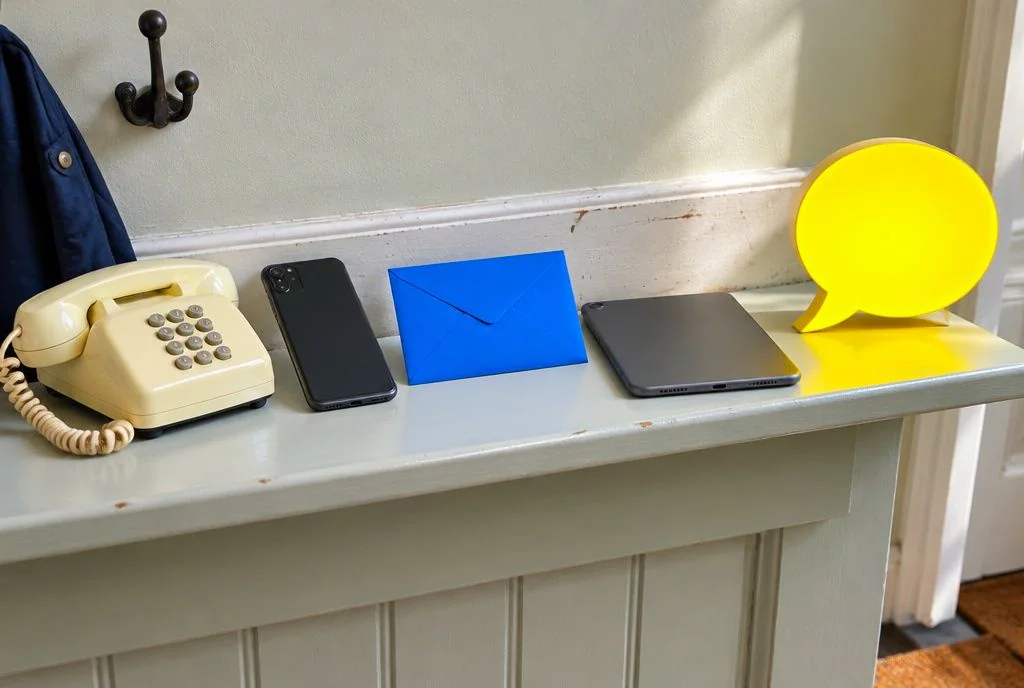
These figures are commonly quoted guides from software vendors, such as Nextiva, not rules. Treat them as a starting point and check them against your own customers.
| Channel | Good target | Stretch target |
|---|---|---|
| Live chat | Under 1 minute | Instant |
| WhatsApp or SMS | 5 to 15 minutes | Under 5 minutes |
| Social media | Under 1 hour | Under 30 minutes |
| Under 4 hours | Under 1 hour | |
| Phone | Answered in seconds | Answered, or call back promptly |
The stretch column is our suggestion for ambition, not a published benchmark.
Phone
Phone is different because the customer is waiting live. Aim to answer in seconds, and where nobody can pick up, offer a callback instead of a long hold.
Adjust for urgency
A burst pipe call or a new-patient enquiry is more time-sensitive than a general question about opening hours. Set tighter targets for enquiries where a delay means a lost job or a worse situation.
Use tiers
Split targets by enquiry type or customer value. Emergencies and new leads might get 15 minutes, existing customer queries 2 hours, and general questions the same working day.
A realistic start for a small UK team
If you have no targets today, begin with email within 4 working hours, messaging apps within 15 minutes in opening hours, and a named person checking every channel at set times. Measure for a month, then tighten.
Why is your first response time slow?
Most slow first responses come from enquiries sitting unassigned, thin cover at peak times and repeat questions swamping the inbox, not from staff working slowly. Front makes the same argument: coordination and system design are the usual culprits.

Too many channels, no single inbox
Enquiries arrive by email, web form, Facebook, Instagram, WhatsApp and phone voicemail. If each is checked by a different person at a different time, something will be missed.
No clear owner
When everyone can see a message, everyone assumes someone else will answer it. Unowned enquiries wait the longest.
Peaks against fixed staffing
Lunchtimes, evenings and Monday mornings tend to be busy for many service businesses. If your rota is the same all day, replies slow exactly when demand is highest.
The same ten questions
Opening hours, parking, how to book, what a first appointment involves, what documents to bring. Typing these out again and again takes time from the questions that need a person.
Out-of-hours waits
Enquiries sent at night or at the weekend sit until the morning. By then, the customer may have contacted a competitor.
How do you improve first response time step by step?
Work through the causes in order: one inbox, clear ownership, automatic routing, staffing to demand, templates, self-service and instant AI answers for routine questions.
- Bring every channel into one inbox. A shared inbox or helpdesk that collects email, forms and messages means nothing hides in a personal account.
- Assign ownership before the first reply. Every enquiry should have a named person the moment it arrives, even if that is a rota for the day.
- Route automatically by topic and urgency. Send emergencies, new leads and billing questions to the right person without anyone sorting them by hand.
- Schedule staff around actual enquiry patterns. Look at when messages arrive and move cover to those hours, even if it means a staggered lunch break.
- Use templates and canned replies, personalised. Keep ready-written answers for common questions, then add the customer’s name and one detail from their message so it does not read as a form letter.
- Build a clear FAQ and knowledge base. Customers who can find the answer themselves never join the queue, and your team and any chatbot have one accurate source to work from.
- Add an AI chatbot for instant answers. It covers the routine questions at any hour and passes the rest to your team.
Other useful reading on the practical side includes Zendesk’s help tips for lowering first reply time.
How can an AI chatbot improve first response time?
An AI chatbot replies in seconds, at any hour, so routine questions get a first response instantly and your team only handles what needs a person.
Chati is built for UK small and growing businesses. We have been developing apps since 2009, and we designed Chati around a simple idea: answer from what the business has already published.
Answers from your own website, with sources
Chati answers customers from your business’s own website and shows its sources, so you and the customer can check where an answer came from. That matters when the question is about fees, opening times or what a service includes.
A human takes over when unsure
When Chati is not confident, it hands the chat to your human team instead of guessing. That avoids the trap of a fast but wrong answer.
Custom integration and your own data
Chati is trained on your data and set up with custom integration, so it reflects your business rather than generic advice. It also carries your branding. We aim to offer great value for money for small and growing businesses; you can see the details on our pricing page.
Lead capture and bookings out of hours
A visitor who arrives at 10pm can still leave their details or book, rather than waiting for the morning. For more on the setup, see how Chati works.
Examples that fit routine questions
- Dental practice: opening hours, how to register as a new patient, what a check-up involves.
- Solicitor’s firm: how the fees process is explained on your site, which documents to gather, how to book a first call.
- Letting agent: viewing availability, how to apply, what is needed from tenants.
- Gym: membership options, class times, how to arrange a tour.
An honest caveat
Decide up front whether a bot reply counts as a first response in your reporting. Many businesses report both: bot-inclusive and human-only. Also track whether the question was actually resolved, because a quick answer that does not help is not a win.
How do you balance speed with a good answer?
Speed only helps if the first reply is useful, so aim for fast and correct, and escalate to a person rather than guess.
A fast wrong answer can cost more than a slower right one, because the customer has to come back and ask again. Pair FRT with first contact resolution (the share of enquiries solved in the first conversation) and a simple satisfaction score.
Set escalation rules
Write down when a bot or agent must hand over: complaints, anything involving money or legal advice, health concerns, upset customers and any question the sources do not cover. Chati’s hand-off to your human team follows this principle when it is unsure.
Use tiered SLAs by severity
An urgent issue gets a tight target and a named person. A general question can wait a little longer without harm.
Keep the tone human
Say what happens next and when. A reply that names the team handling the request and gives a clear time for hearing back beats a vague “we’ll be in touch”.
How do you set SLAs and track progress?
Set a written target per channel, track the median weekly, and alert someone when an enquiry is close to breaching it.
A simple SLA for a small business
- Email: first reply within 4 working hours.
- WhatsApp or SMS: within 15 minutes in opening hours.
- Urgent enquiries: within 15 minutes, flagged to the duty person.
- Out of hours: instant chatbot reply, human follow-up at the start of the next working day.
What to track
- Median FRT overall
- Median FRT by channel
- Median FRT out of hours
- Enquiry volume by hour and day
Review peaks and adjust rotas
Once a month, look at volume by hour and compare it with who is on shift. Small rota changes often help more than any tool.
Where the numbers come from
Your inbox, chatbot or CRM will usually give you timestamps. If not, a spreadsheet with received and replied times will do, as in the example earlier.
Review misses without blame
When a reply is late, ask what stopped it, not who was slow. The answer is usually ownership, routing or cover, all of which you can fix.
What mistakes should you avoid when trying to reduce first response time?
Avoid empty auto-replies, chasing speed at the cost of accuracy, and measuring only the average.
- Auto-acknowledgements that game the metric. A reply that says nothing makes the number look good and leaves the customer no better off.
- Over-templated replies. Templates save time, but a cold, copy-pasted message can lose the customer you were trying to help.
- Ignoring out-of-hours and weekend enquiries. They are often when people have time to enquire, so they matter.
- Adding channels you cannot staff. A WhatsApp number nobody checks is worse than none.
- Not saying when a full answer will arrive. Even a short “you’ll have a full answer by Thursday” reduces chasing.
If you would like instant, sourced answers on your website with your team ready to step in, take a look at how Chati works for your sector. Or contact Chati and we will talk it through with you.
Frequently asked questions
How long is too long to be on hold for customer service?
There is no single rule, but long holds frustrate people. Aim to answer in seconds, and offer a callback if nobody is free instead of keeping the caller waiting.
What is a good average response time for email?
A commonly quoted guide is under 4 hours, though that is a vendor-reported benchmark. Use the median rather than the average, and set a target your team can meet within business hours.
Does an automated reply count as a first response?
A simple “message received” does not, as it answers nothing. A chatbot reply that genuinely answers the question can count if you choose to include it, but say so in your reporting.
How do I measure first response time without a helpdesk?
Use a spreadsheet with the time each enquiry arrived and the time of the first real reply. Subtract one from the other, then find the median across the week.
What is the difference between first response time and resolution time?
Resolution time is how long until the problem is fully solved. First response time is how long until the first reply. Track both. A quick reply does not mean a quick fix.
How do I handle enquiries out of hours?
Give people an instant answer for routine questions, let them leave details or book, and set a clear time for human follow-up. A chatbot such as Chati can cover this when you have no overnight staff.
Should I use average or median first response time?
Use the median. A few very late replies can distort the average, whereas the median shows what a typical customer experiences.
Can a chatbot hurt customer service?
It can if it gives wrong answers or traps people without a route to a person. Choose one that shows its sources and hands over to your team when unsure, and review its chats regularly.