An AI chatbot is a software program that uses artificial intelligence to hold conversations with people by text or voice. It understands what someone asks, works out the meaning and writes a reply, so it can answer questions and help complete tasks such as bookings without a person typing each answer.
At a glance
- IBM and Stanford HAI both separate simple keyword or rule-based bots from AI-powered chatbots that use natural language processing to understand what people mean.
- Typical purposes include answering questions, supporting customers, saving time, automating tasks such as bookings and giving help 24/7.
- Common chatbot types include rule-based, AI-powered (intent-based), generative AI (LLM-based), hybrid, voice-enabled and agentic chatbots.
- GOV.UK separates chatbots from webchat: webchat connects people to a human adviser, while a chatbot uses automated responses.
- Chati has built apps since 2009 and trains its chatbot on the customer’s own data.
What is an AI chatbot?
Software that uses artificial intelligence to hold conversations by text or voice, answering questions and helping people complete tasks, is what we call an AI chatbot. Think of it as a member of the team who is always at the front desk and never needs a break.
Here is a simple example. A visitor lands on a dental practice website late in the evening and types, “Are you open on Saturdays and can I book a check-up?” A chatbot reads that message and understands there are two questions in it. It finds the opening hours and offers a way to book. Nobody at the practice had to be at a keyboard.
The two words in the name each do a job. “Chatbot” simply means a program you chat with. “AI” is the part that lets it understand ordinary wording, so people can type or say things the way they would to another person rather than picking from a fixed list of buttons.
Where people meet AI chatbots
Most people have already come across one, even if they did not notice. You will find them in:
- website chat windows, usually in the bottom corner of the page
- mobile apps from banks, shops and travel firms
- messaging services such as WhatsApp or Facebook Messenger
- phone lines, where a voice-enabled bot listens and replies out loud
Other explainers, such as those from Stanford HAI, take the same broad view: a chatbot is a program designed to simulate conversation, and AI is what makes the better ones feel natural.
How does an AI chatbot work?
Chatbots work in four steps: you ask a question, it analyses your message, it generates an answer, and it replies so the chat can continue. All of this usually happens in a second or two.
- You ask. A customer types or says something, such as “How much is a boiler service?”
- It analyses your message. The bot works out what you mean, not just which words you used.
- It generates an answer. Using the information it has been given, the bot pulls together a reply.
- It replies and the chat continues. You can ask a follow-up and the bot keeps track of what was said earlier.
Natural language processing
Natural language processing, often shortened to NLP, is the part of AI that deals with human language. It lets the bot cope with spelling slips, slang and different ways of saying the same thing. “Do you do weekends?” and “Can I come in at the weekend?” both point to the same question, and NLP helps the bot see that.
Large language models
A large language model, or LLM, is the engine that writes the reply. It has learned patterns in language from huge amounts of text, so it can put together sentences that read naturally. On its own it knows general things about the world. It does not know your prices or your policies, and it can’t tell your opening hours unless it is given them.
Why training on your own website matters
This is where a business chatbot differs from a general one. Chati’s chatbot is trained on the customer’s own data, including the content of their website. When a visitor asks about your cancellation policy, the bot answers from your page on cancellations, not from a guess based on what other businesses tend to say.
That makes answers specific to you. A letting agent’s bot can talk about your fees and your areas. A vet’s bot can talk about your clinic hours and the services you list.
Answers can still be wrong
No AI is perfect. A bot can misread a question or put together a reply that sounds confident but is off. That is why showing sources matters. When the bot shows which page it used, a customer can click through and check for themselves, and you can see where an answer came from.
What is the difference between an AI chatbot and a traditional chatbot?
A traditional chatbot follows fixed scripts and menus, while an AI chatbot interprets free wording and writes its own replies. The first is like a phone menu (“press 1 for opening hours”). The second is more like talking to a person.
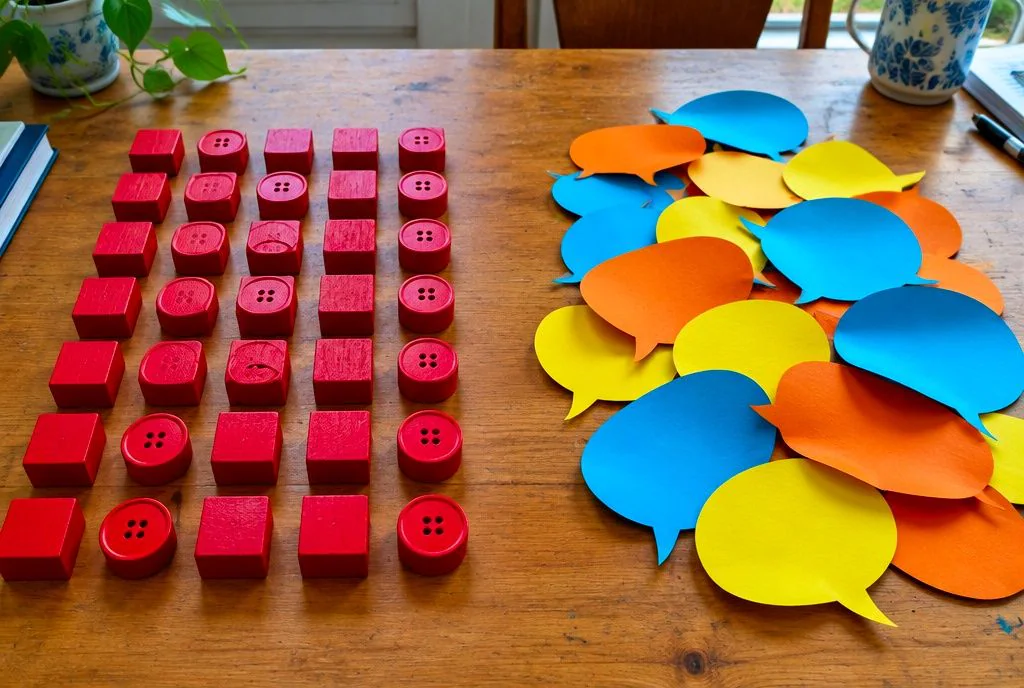
Older bots matched keywords. If your message contained the word “price”, you got the price reply, whether or not that was what you meant. Type something the designers had not planned for and the bot would often say it did not understand. These bots have been around for decades. Modern AI bots are a very different thing.
Types of chatbot compared
| Type | How it works | Best suited to |
|---|---|---|
| Rule-based | Follows set scripts, menus and keywords | Very simple, predictable questions |
| AI-powered (intent-based) | Uses NLP to work out what the person wants, then picks a matching answer | Common questions asked in many different ways |
| Generative AI (LLM-based) | Writes new replies using a large language model | Open questions and natural conversation |
| Hybrid | Mixes set rules with AI, for example fixed steps for bookings and AI for questions | Businesses that want control and flexibility |
Voice-enabled bots, which talk and listen, and agentic bots, which carry out tasks, are also on the list of common types.
Assistants and agents
You may also see the terms AI assistant and AI agent. IBM draws a line between them: a chatbot mainly converses, while assistants and agents go further and take actions on your behalf, such as making a booking or updating a record. In practice the lines blur, and many business chatbots now do a bit of both.
What is the difference between an AI chatbot and ChatGPT?
ChatGPT is one example of an AI chatbot. The term “AI chatbot” covers any AI conversational tool, including ones limited to a single business’s information.
So, to answer a common search directly: yes, ChatGPT is a chatbot. It is a general-purpose one, built to chat about almost anything, from recipes to coding. Microsoft Copilot and Google Gemini are other well-known examples.
General-purpose versus business chatbots
A business chatbot has a narrower job. This one is set up to answer questions about one company, using that company’s own content. It should stay on topic, use your wording and point people to your pages.
Why a general tool is risky for customer answers
If a customer asks a general tool about your business, it has no way of knowing your current prices, your policies or your availability. It may guess. A guess that sounds sure of itself can lead to a customer expecting a refund you do not offer or a service you do not provide.
A chatbot trained on your own website avoids much of this, because it draws on what you have actually published. It will not remove every risk, which is why sources and a route to a person still matter.
Is Siri an AI chatbot?
Siri is a voice assistant that uses AI to understand speech and carry out commands. It overlaps with chatbots but is built mainly for device tasks such as setting alarms, making calls and sending messages.
Chatbot, voice assistant and bot
The words get mixed up, so here is a plain split:
- Bot is the broadest word. It means any program that performs automated tasks.
- Chatbot is a bot designed to hold a conversation.
- Voice assistant is a chatbot-like tool you mainly speak to, often built into a phone or speaker, such as Siri or Alexa.
What is an example of a bot?
A few examples show how wide the term is. A chatbot on a website that answers customer questions is one. Googlebot, the program that crawls web pages so Google can list them, is another, and it does not chat with anyone. A website assistant that answers visitors and takes booking requests is a third.
Is Google search a chatbot?
No. Google search is a search engine that returns a list of pages. Google does offer chatbot-style tools, but the classic search box is not one.
What is the purpose of an AI chatbot?
The main purpose is to answer questions and complete simple tasks quickly, at any hour, without a person handling every conversation. IBM’s list of use cases includes answering questions, supporting customers, saving time, automating tasks such as bookings and giving help around the clock.

For a small business, that boils down to a handful of jobs. A good chatbot can:
- Answer common questions about prices, hours, services and policies
- Support customers who need a quick pointer or a link to the right page
- Save time by taking repeat questions off your team’s plate
- Automate bookings so people can reserve a slot without phoning
- Capture leads by collecting a name and contact details from interested visitors
- Hand over to staff when a question needs a person
By function
Customer service: answering the same ten questions every business gets, at any time of day.
Sales: responding to a visitor while they are still interested and passing their details to your team.
Bookings: letting someone request an appointment, viewing or table in a few messages.
UK small business examples
The businesses we build for are UK small and growing firms, and the uses are easy to picture:
- A dental practice answering questions about new patient appointments
- A solicitor’s website explaining which services are offered and collecting an enquiry
- A tradesperson taking job details while on a roof
- An estate or letting agent handling viewing requests
- An accountant answering what documents a client needs to send
- A vet’s clinic sharing opening hours and booking requests
- A hotel answering questions on check-in times and parking
- A gym explaining memberships and class times
Chati includes branding, lead capture and bookings, so the chat window can look like part of your own site and do more than answer questions. Our industry guides show how this looks for different types of business.
What are the benefits and limits of an AI chatbot?
Benefits are 24/7 answers, saved staff time and consistent replies. Limits are wrong or invented answers and a lack of human judgement. Plan for both.
Benefits
- Answers at any hour. Visitors get a reply at 9pm on a Sunday, not on Monday morning.
- Less repetitive work. Your team spends less time typing the same reply.
- Consistency. Ask the same question twice and you get the same answer, using your published content.
- Quicker lead capture. Interested visitors can leave details while they are still on your site.
Limits
- Wrong or invented answers. AI can sound sure and still be mistaken, particularly when it lacks the right information.
- No human judgement. Unlike a person, a bot cannot read a worried tone or weigh up a complicated personal situation.
- Only as good as its content. If your website is out of date, the answers will be too.
Handing over to a person
Chati answers from a business’s own website, shows its sources and hands chats to a human team when it is unsure. That handover matters most for sensitive or regulated enquiries. A solicitor’s client describing a legal problem, or a patient mentioning symptoms, needs a person, not an automated reply. Safer by far is a chatbot that knows when to step back than one that always tries to answer.
Showing sources
When a bot shows the page behind an answer, customers can check it and your team can spot anything that needs updating. It turns a black box into something you can inspect.
What should a UK business check before using an AI chatbot?
Check that it learns from your own content, shows its sources, hands over to a person and handles personal data in line with UK GDPR. Those four points cover most of what can go wrong.
A simple checklist
- Custom training on your data. Look for a bot that learns from your website and documents, not just one that gives general answers.
- Integration with your site. Your chatbot should fit in with the way your website and systems already work. Chati offers custom integration with the customer’s systems.
- Branding. The chat should look like yours, with your colours and name.
- Lead capture. A good chatbot collects enquiries and passes them to your team.
- Bookings. If you take appointments, check the bot can handle them.
- Sources and handover. Make sure answers can be checked and a person can take over.
Personal data and UK GDPR
Chats can include names, phone numbers and sometimes sensitive details. Ask any provider where data is stored, who can see it and how long it is kept, and make sure your privacy notice covers the chatbot. Not sure about any of this? Take advice from a data protection professional.
Tell people it is a bot
The GOV.UK guidance on chatbots and webchat stresses setting expectations. It also separates the two tools: webchat connects people to a human adviser, while a chatbot uses automated responses. Be clear which one a visitor is using, and give them an easy way to reach a person.
Value and fit for small teams
A small business does not need an enterprise project. Look for something you can set up without a developer, that does not need constant attention and that has clear costs. Our how it works page shows how Chati works.
Where Chati fits
We have developed apps since 2009, and Chati is built for UK small and growing businesses. It answers from your own website, shows its sources, hands chats to your team when unsure and includes branding, lead capture and bookings. Customers choose us for great value for money. Want to see how it would work for your business? Find out more about who builds Chati or get in touch with Chati and we will talk it through with you.
Frequently asked questions
Is an AI chatbot the same as a bot?
Not quite. “Bot” is the broad term for any program that performs automated tasks, including ones that never chat. A bot built to hold conversations using artificial intelligence is an AI chatbot.
What does chatbot stand for?
The word is a blend of “chat” and “robot”. It means a program you can chat with, though there is no physical robot involved.
Can an AI chatbot replace my staff?
It can take over repetitive questions and out-of-hours enquiries, but it is not a replacement for people. Anything sensitive, complicated or emotional should go to a person, which is why handover matters.
Are AI chatbots safe to use with customer data?
It depends on the provider and how it is set up. Ask where data is stored, who can access it and how it is handled under UK GDPR, and check your privacy notice reflects the chatbot.
How much does an AI chatbot cost for a small business?
Costs vary between providers. Our pricing page shows what Chati includes.
Do customers need to be told they are talking to a chatbot?
Yes, it is good practice, and GOV.UK guidance on chatbots and webchat tools talks about setting clear expectations. Say plainly that it is an automated assistant and make it easy to reach a person.
Can an AI chatbot take bookings?
Yes, many can. Automating tasks such as bookings is a common use, and Chati includes bookings alongside lead capture and branding.